
See what's actually leading the market.
Ready-made scans for relative strength, momentum breakouts, small-cap gappers and growth leaders. Tune any of them, or build your own. Free on a 15-minute delay. $25 a month for live.
Loading ZenBot Scanner


Scans, charts and alerts, in one place.
Strong against weak
Every stock is measured against SPY and its sector. Long the leaders. Short the laggards.


Options Flow-Based Levels on every ticker
Call vs put pressure on every ticker. Call walls and put walls drawn right on the chart.
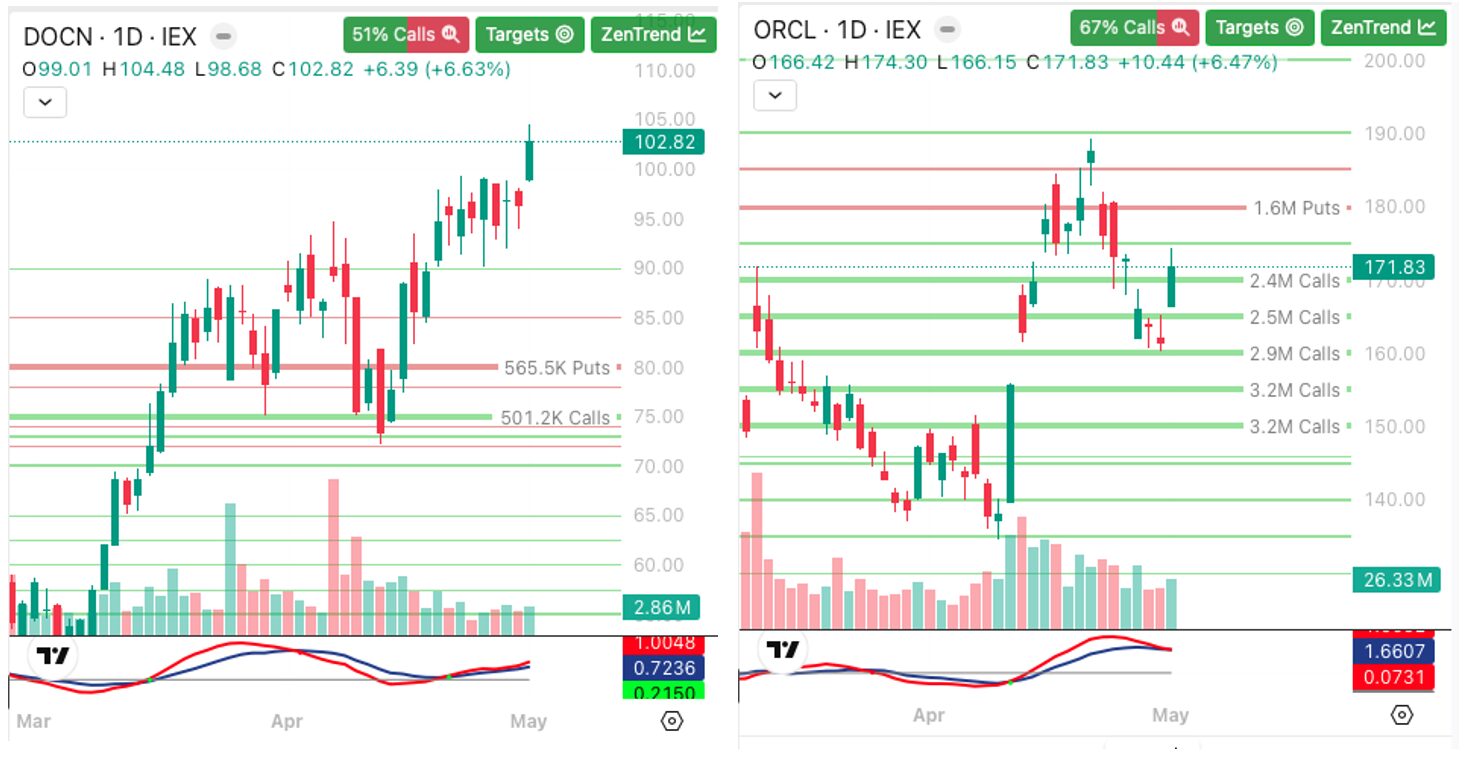
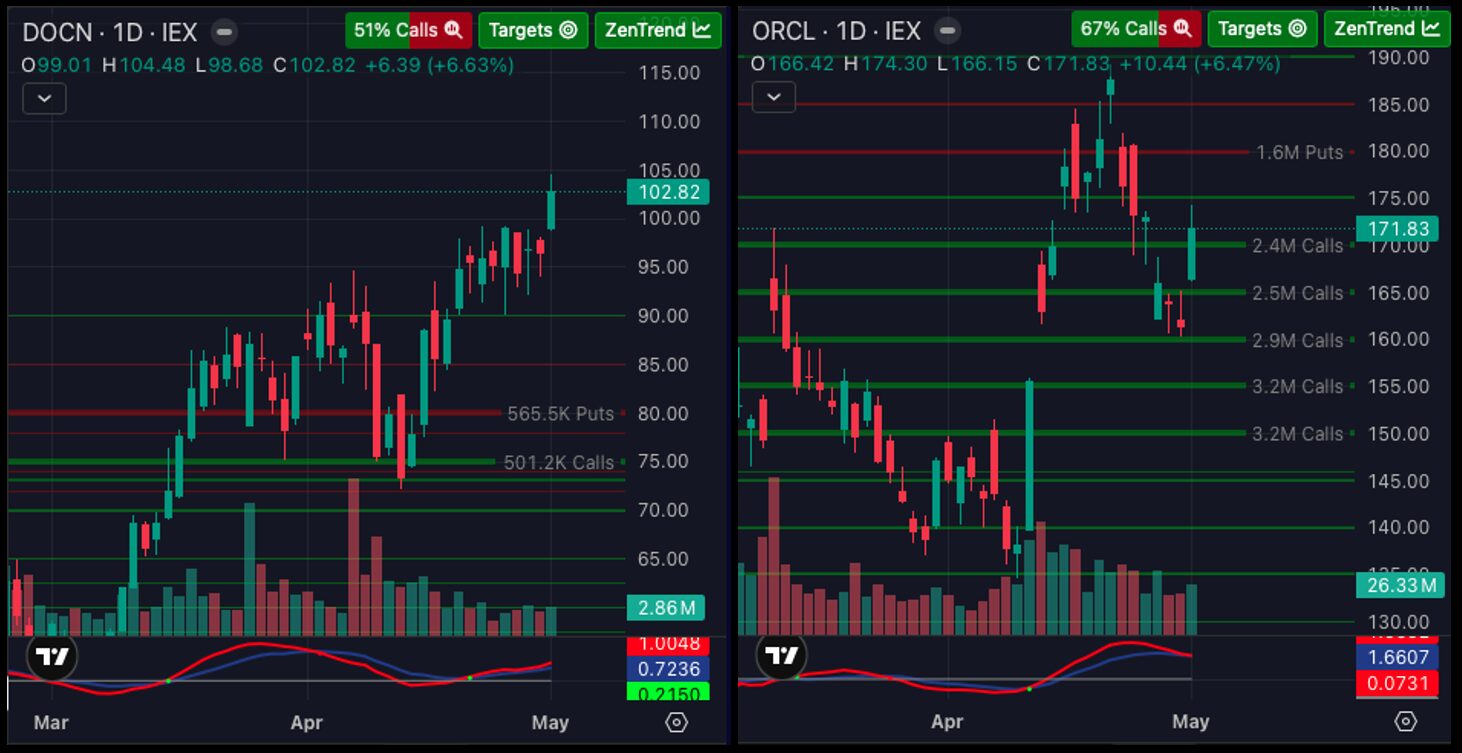
A whole scan, as a wall of charts
Every stock in the scan, as a chart. Spot the setup at a glance.


Really Fast Charts
Zen draws its own charts, instantly, with options levels, relative strength and ZenTrend built in. One click opens full-featured TradingView Advanced Charts: every indicator, drawing tool and saved layout you'd expect.


Trade Signals on the chart
Entries, stops and targets marked on the chart. Scan for fresh signals, or filter by them. Experimental examples, not advice.


Mobile Alerts that come with a chart
Know the moment a stock hits your scan. In the app, on Telegram, on Discord. Chart included.


Alerts on any scan
Put an alert on any scan, built-in or your own, and hear about every new name as it lands. Everything that fired is kept in Recent Alerts.


- Real-time data. Scans update as the market moves.
- Real-time alerts. A live chart with each one.
- Live chart walls. With your own indicators.
- No limits. On saved filters or charts.
- Full target levels. Every options price target.
- Bigger dashboards. Unlimited pop-outs.
- Copy and export. To CSV or your clipboard.
Build your own scan
282 filters. Search, click, done.


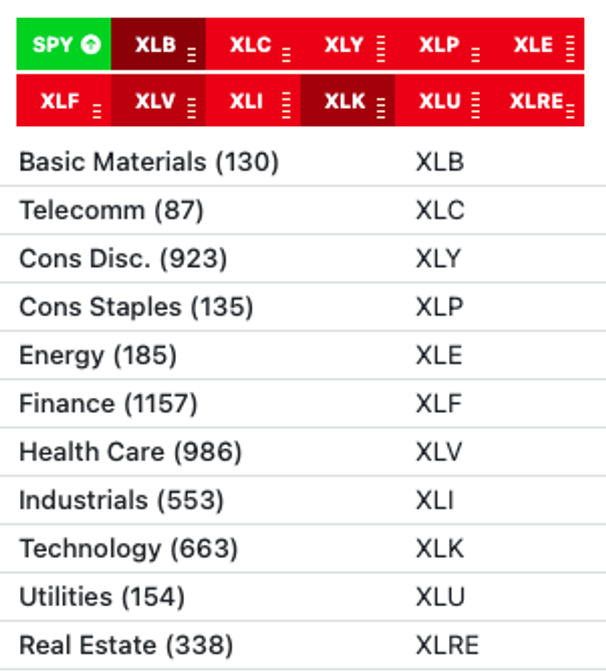
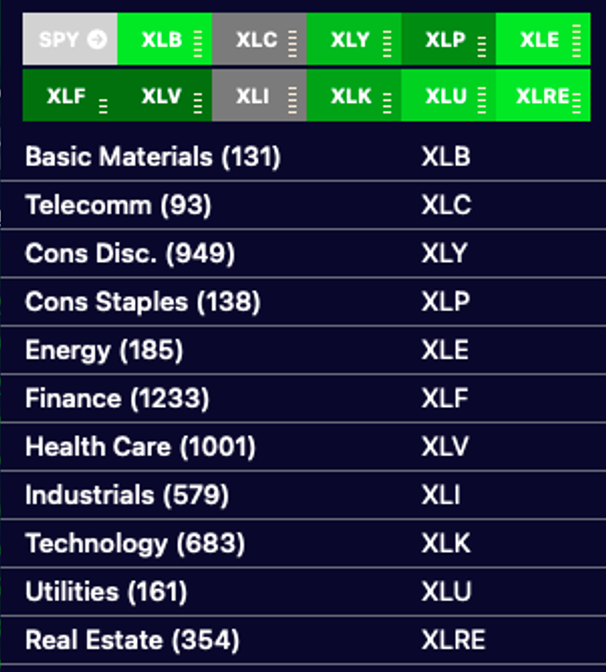
Follow the sectors
All 11 sectors, ranked live. Trade the leaders in the leading sectors.
ZenTrend
Our own custom indicator, and open source. See where a stock sits in its price cycle before you chase it. On every chart, on any timeframe.


Zen's MultiScan view
Your favorite scans, side by side. Pop scans and charts out to your other monitors, then link the windows so one click on a ticker updates them all: your own scanning workstation.


Trade-ready on your phone
The same scans, charts and alerts in your pocket. Nothing to install.


The Windows app
Runs at native speed. One click opens any ticker in your favorite charting app: TradingView, thinkorswim, TC2000 or IBKR. Free.
Get it from the Microsoft Store
Before you sign up.
Is ZenBot free?
Yes. The whole scanner is free on a 15-minute delay. Turbo is $25 a month for live data.
How is it different from TradingView or Finviz?
They give you filters. ZenBot gives you the setups: relative strength against SPY and the sector, plus options flow, already built into 88 scans.
What do I get with Turbo?
Live data, real-time alerts with charts, and your own indicators on every chart. 14-day free trial.
Do I need to install anything?
No. It runs in your browser and on your phone. There's a free Windows app if you want one.
What stocks does it cover?
About 6,600 US stocks and ETFs, including premarket and after-hours.
Does ZenBot tell me what to buy?
No. It finds stocks that fit a setup. The trade is yours.
Also in the box
Premarket and after-hours scans. News and earnings flags. Live commentary. Saved filter sets. Everything synced across web, Windows and your phone.
ZenBot is a one-person project. It's just me and all of you.